Quick brief
Vibe coding makes it easier to turn an idea into a working prototype, but a fluent code generator does not supply the requirements, verification, security judgment, or maintenance plan a real product needs. Use AI to accelerate bounded work, then keep people accountable for the behavior, dependencies, data, and release.
Full analysis
Originally published April 14, 2025. Updated October 18, 2026.
Imagine a developer opening an editor on Monday morning and typing: “Build a dashboard to track customer metrics across products.” The first screen appears quickly, with a chart connected to sample data and a filter that works for the happy path. Now the idea has become something a team can click, question, and improve.
That is a useful result. It is not yet a product. The prompt did not settle which customers may see which metrics, what counts as a completed order, how stale data should be labeled, or what happens when a service is unavailable. Those decisions still belong to the people building the system.
Andrej Karpathy’s post gave the term “vibe coding” to a deliberately loose style of AI-assisted programming: describe what you want, let the model generate code, run it, and keep moving without spending much time reading the code. The phrase captured one end of a wider spectrum. At one end, a person accepts generated code largely on trust for a disposable experiment. At the other, an engineer uses an AI coding tool while still specifying behavior, reviewing changes, testing the result, and taking responsibility for it.
Those practices are often discussed as if they were the same. They are not. The distinction matters most when a prototype starts to handle customer information, money, access, or decisions people rely on.
In a Y Combinator video about its Winter 2025 batch, the partners describe asking founders what tools they were using, how their workflows had changed, and what share of their codebase characters AI generated. In its auto-generated English captions, one partner says roughly one quarter estimated more than 95% of code characters, excluding libraries, were generated by AI. That is a founder estimate relayed in the video; the caption transcript provides neither a sample size nor an independent code audit. The figure says something about how those founders perceived their work; it does not establish code quality, delivery speed, or production readiness. YC video
Listen to the AI-generated overview · 1 minute 41 seconds
Read the full transcript (approximate timestamps)
AI-generated transcript. Timestamps are approximate.
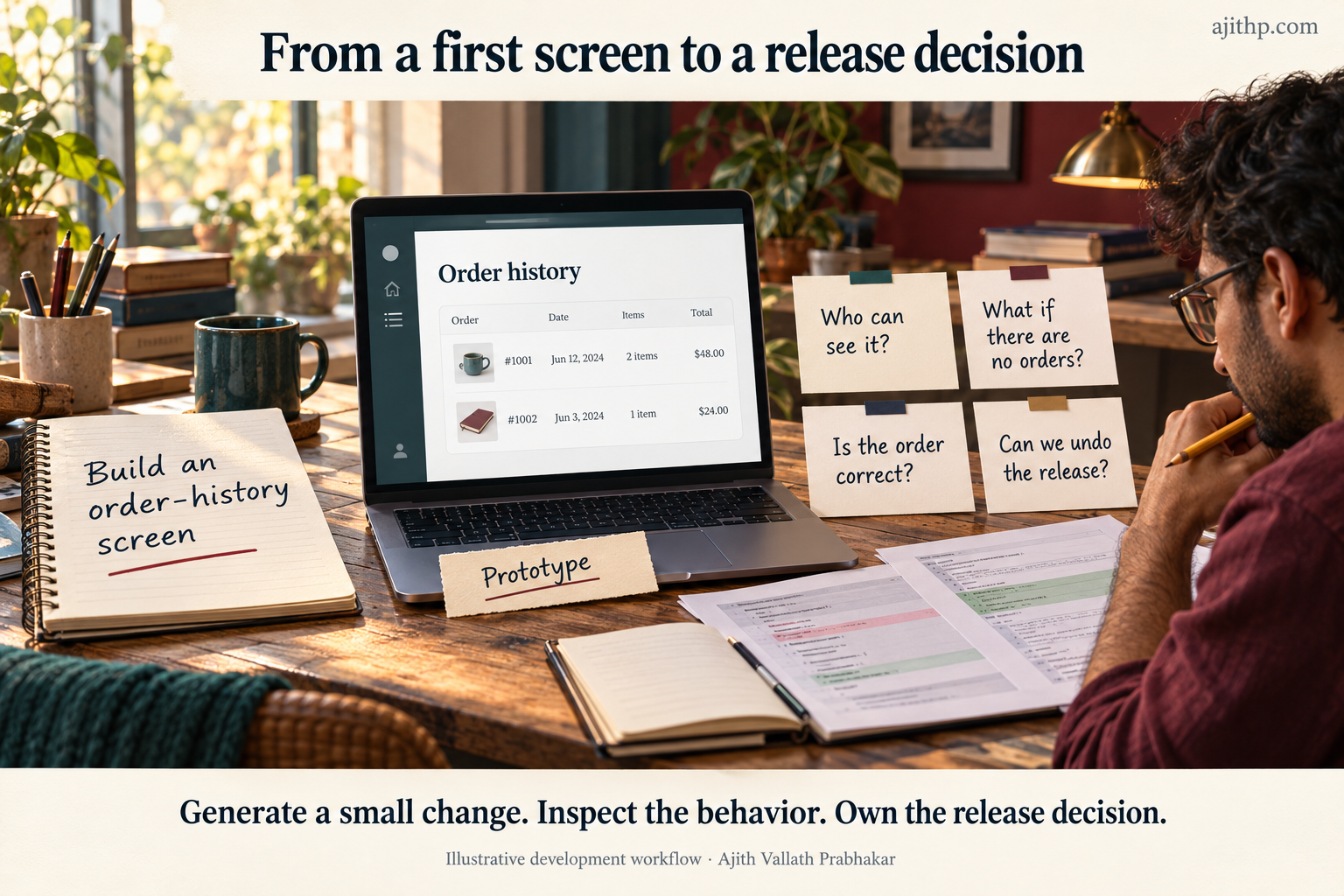
00:00 – 00:17 This is an AI-generated overview of the revised article on vibe coding. So, imagine an order history screen, where a coding assistant quickly builds a first draft to make the idea visible, letting someone try the layout before the team steps in to settle exactly what the customer can actually see and how the screen behaves.
00:17 – 00:30 First, let’s look at requirements and boundaries. You start simply: show the customer’s orders, newest first, with a clear message when there are none. You break this into a small story and provide the coding tool with the relevant types and surrounding code.
00:30 – 00:41 But remember, a well-drawn screen doesn’t establish an access boundary. Controlling access to another customer’s orders absolutely must be addressed in your system’s explicit authorization rules.
00:41 – 00:54 Second, you’ve got to inspect the generated code and test its limits. Ask yourself: does the implementation actually sort the dates correctly? Does it handle an empty history? What happens while data’s loading or when a request fails?
00:54 – 01:08 Tests help answer these specific questions, but you need to review their assertions, too. Checking an empty history, a single order, and a descending order is necessary, but crucially, those basic checks do not establish production readiness or access control.
01:08 – 01:28 Finally, it’s about the review and release process. You need to review the surrounding changes, dependencies, and failure behaviors. Keep the generated change small enough to easily understand and reverse. Then, run it through your project’s normal review and release process. And whenever feedback changes the requirement, make sure you update the story and tests right alongside the code.
01:28 – 01:41 Ultimately, while AI makes the prototype much easier to explore, the truly useful measure is the complete effort, which includes review, rework, security, and maintenance. People still need to understand the software and own the decision to release it.
What is vibe coding?
Vibe coding begins with an instruction in ordinary language rather than a programmer spelling out every operation. For a mobile app that tracks fitness goals and synchronizes with a watch, the coding model might propose interface elements, state, and integration code; the person then runs the result, sees what is missing, and asks for changes.
Three capabilities make this possible: AI-assisted coding tools generate or explain code from natural-language requests; prompting supplies the goal, examples, constraints, and relevant project context; and an AI-oriented workflow makes room for quick iterations. The developer asks, inspects the result, tests it, and revises.
The exchange resembles composing with a band: a musician can describe a mood, listen to a draft, and ask for a different rhythm. That captures the iteration, though software has a further burden. Its behavior must be predictable for users, fit the systems around it, and remain understandable after its first author has moved on.
A change in the way we express intent
For most of software history, a developer translated a goal into exact instructions in a programming language. AI coding tools let people start closer to the goal. Instead of writing every line that draws a chart, a developer can ask for a dashboard with filters and then inspect the result.
That shifts effort; it does not remove it. The developer spends more time describing the behavior, supplying context, and deciding whether the generated implementation fits the application. A vague request still produces a guess. A request that leaves out an authorization rule cannot be expected to invent the right one.
The tools are changing quickly
By 2025, developers could choose among autocomplete in an editor, chat about a codebase, and tools that attempted larger coding tasks. GitHub Copilot, Cursor, Replit’s code-generation tools, Firebase Studio, and Codeium illustrated different points on that spectrum. Product names, capabilities, data handling, and agent controls change often, so these are dated examples, not a current feature comparison.
The important change is the move from a suggestion that completes a line to a tool that can use broader context and propose changes across files. As the tool is given more room to act, the developer’s review needs to include what it read, what it changed, which commands it ran, and what those commands could access.
The developer’s role
AI can draft boilerplate, sketch a user interface, or suggest a test. People still need to decide what a feature should do, how it fits the system, and what evidence is enough to release it. A developer may spend less time typing a familiar pattern and more time clarifying a requirement or investigating a surprising test result.
That can be a welcome change. There is also a cost. When a person accepts code they cannot explain, they may be unable to spot a security problem, diagnose a production failure, or make the next change safely. Using AI well calls for communication and judgment, but it also calls for enough technical understanding to evaluate the output.
Why the approach is gaining attention
Several forces meet in AI-assisted coding: models generate common patterns, editors can provide nearby source files as context, and developers can ask for a first draft in a sentence before revising it in short cycles. Someone with an idea but little experience in a language can explore an interface before commissioning or learning a full implementation.
These benefits are real possibilities, not a uniform productivity result. A generated screen can make a meeting more concrete, while a change in a mature application may take longer to review than it took to generate. Time saved at the keyboard can reappear in test design, integration, security review, or maintenance.
Code generation can be useful
The strongest case for a coding assistant is often modest. It can produce a starting point for a repetitive form, outline a test, explain unfamiliar code, or help compare two implementation options. The developer remains able to reject the result and knows what evidence would show the behavior is correct.
The more complete the task, the more important the missing context becomes. A generated page may use placeholder data and look finished while having no authorization, resilient loading state, or meaningful failure handling. A demo can still be valuable, provided the team calls it a demo and does not mistake polish for readiness.
The economic questions are still open
It is tempting to translate faster code generation into a fixed productivity figure or a smaller team, but that skips several steps. A useful comparison accounts for time spent prompting, reviewing, testing, fixing, securing, and maintaining the change. It also compares like work: a small greenfield prototype differs from a change in a well-used system with complex requirements.
An early-2025 METR randomized study illustrates why broad claims need care. It involved 16 experienced open-source developers completing 246 issues in mature repositories with tools available at that time. In that setting, allowing AI tools increased time to complete the issues by 19%, even though the participants expected a speedup. METR describes this result as a snapshot of early-2025 capabilities. In its February 2026 update, it says selection effects made estimates from a later study an unreliable proxy for productivity. Taken together, the studies show why a result from one period and setting cannot replace measurement of a team’s own work. METR study · METR’s 2026 update
What the YC survey can and cannot tell us
The YC partners’ account is self-reported and comes without a denominator in the caption record. It does not measure the share of startups, production code, or successful products.
That distinction matters because a survey response can signal changing habits, but cannot on its own say whether the output was maintainable, secure, or cheaper to build; those questions need different evidence.

A practical workflow: intent, code, tests, and feedback
The simplest version of vibe coding is Prompt → Generate → Review → Deploy. It is quick to understand and can work for a throwaway experiment. Its weak point is that it compresses several different activities into “review.” The person must know what the system should do, what the generated change did, and whether the available checks reveal important failures. I recommend turning intent into a structured plan whenever a change crosses components or touches data, access, or a consequential workflow; a disposable mockup can stay lighter.
A more useful workflow keeps the speed of generating a draft and adds enough structure to make the result reviewable. The order can change by project. The responsibilities do not.
Step 1: Turn intent into a plan
Start with the user, the outcome, the constraints, and the conditions that will count as success. Ask the AI to help decompose the work if that is useful, then inspect the decomposition before treating it as a specification.
For a customer dashboard, the initial prompt might be: “Build a customer dashboard with order history and tracking. Break it down into epics, features, and user stories.” A useful draft could preserve that hierarchy:
- Epic: Order history
- Feature: View past orders
- User story: As a customer, I want to see past orders listed by date, amount, and status so I can review my purchase history.
- Feature: View past orders
- Epic: Order tracking
- Feature: Real-time status updates
- User story: As a customer, I want to see the current status of active orders.
- Feature: Real-time status updates
These statements still need detail: which dates and currencies should be shown, can a customer see another person’s order, and what happens when no orders exist or the tracking service is unavailable? The plan should reveal those questions before they are buried in generated code.
Step 2: Generate a small, bounded change
Give the coding tool one story at a time, along with relevant types, conventions, and surrounding code. A prompt for the example might say: “Create a React component for displaying a customer’s order history with date, amount, and status. Sort orders by date descending. Show a clear message when the list is empty.”
The tool may produce a component like this. Ask it to explain the sort and empty-state behavior, then compare that explanation with the code; the explanation itself is not evidence that the implementation is correct.
const OrderHistory = ({ orders }) => {
  if (orders.length === 0) {
    return <p>No orders</p>;
  }

  const sortedOrders = [...orders].sort(
    (a, b) => new Date(b.date).getTime() - new Date(a.date).getTime()
  );

  return (
    <ul>
      {sortedOrders.map((order) => (
        <li key={order.id}>
          {order.date} - ${order.amount} - {order.status}
        </li>
      ))}
    </ul>
  );
};
This small example has a narrow purpose. It shows an empty state, sorts dates, and renders each order. A production component would need decisions about locale-specific date and currency formatting, loading and error states, missing or invalid dates, and what information a particular customer is allowed to see.
Correction: The April 2025 version of this article printed a component without an empty state alongside a test that expected “No orders.” The two disagreed; the version above fixes the component.
Step 3: Test the behavior and inspect the change
Ask for tests that cover the requirements, but read them before relying on them. A test generated from the same vague instruction as the code can repeat the same misunderstanding. Check whether the test exercises the behavior users need and whether its assertions would fail for a plausible defect.
For this component, focused Jest and React Testing Library tests can check the empty state, a single order, and ordering:
test('shows an empty state when there are no orders', () => {
  render(<OrderHistory orders={[]} />);

  expect(screen.getByText('No orders')).toBeInTheDocument();
  expect(screen.queryByRole('list')).not.toBeInTheDocument();
});

test('renders a single order', () => {
  const order = {
    id: 1,
    date: '2023-10-01',
    amount: 50,
    status: 'Shipped',
  };

  render(<OrderHistory orders={[order]} />);

  expect(screen.getByText(/2023-10-01 - \$50 - Shipped/)).toBeInTheDocument();
});

test('sorts orders by date descending', () => {
  const orders = [
    { id: 1, date: '2023-10-01', amount: 50, status: 'Shipped' },
    { id: 2, date: '2023-10-02', amount: 75, status: 'Delivered' },
  ];

  render(<OrderHistory orders={orders} />);

  const items = screen.getAllByRole('listitem');
  expect(items[0]).toHaveTextContent('2023-10-02');
  expect(items[1]).toHaveTextContent('2023-10-01');
});
The tests check the empty state, a single order, and both positions in a descending sort, so a reversed or unsorted list fails. They do not establish that every date format sorts correctly, that currency is displayed appropriately, or that access controls are in place. Those belong to the requirements and the broader test plan.
Review the generated diff as well as the test results. Ask whether the change follows the project’s conventions, whether it adds unnecessary dependencies, what happens on failure, and whether the implementation handles data outside the happy path. A green test suite is evidence about the tested cases, not a general certificate of correctness.
Step 4: Commit, learn from feedback, and release carefully
Keep changes small enough that another person can understand them. Record the intent in the commit or pull-request description, run the checks that apply, and deploy through the project’s normal process. If user feedback changes the requirement, update the story and tests before asking the tool to revise the implementation.
Incremental delivery makes mistakes easier to locate and reverse, though it cannot guarantee a stable or scalable codebase by itself; that quality depends on the requirements, tests, review, and operational practices around the code.
Why the structure helps
Turning a broad request into features and user stories gives the developer and the coding tool smaller decisions to work through. It also gives the team a place to discuss what is missing before those gaps turn into assumptions in code. Tests and review then connect each implementation to behavior someone can check. None of these steps proves the system is free of defects; they make decisions visible and changes easier to inspect.
Three ways to adapt the sequence
The same workflow does not fit every task.
- Hybrid implementation: Use AI for a low-risk interface draft while a developer designs and reviews a security-sensitive operation directly. For a payment feature, the tool can help scaffold surrounding screens; authorization, transaction boundaries, and key handling need explicit engineering decisions.
- Test-first work: Write an example of the desired behavior before generating code. For a login API, specify accepted inputs, failure responses, and access rules, then ask for an implementation that satisfies the tests. The tests still need review; a weak test can encode a weak requirement.
- AI pair programming: Keep the person in the loop while the tool proposes a change. Ask it to add error handling, explain the effect on callers, or compare approaches. This gives the developer a chance to correct context before a broad edit accumulates.
The best choice depends on the task’s risk and the team’s ability to review the result. A quick prototype can tolerate more uncertainty than software that handles payments or personal data.
Where it can help
Vibe coding and adjacent AI-assisted practices can make early experimentation cheaper in attention and time: a founder can make a screen concrete before investing in a full product, a developer can ask for a test scaffold or routine transformation, and a product manager can compare interface options with engineers in the room.
Those are useful outcomes even when the generated code is discarded, because a prototype can help people ask better questions. The risk begins when a team treats it as a tested product simply because it runs.
Prototypes and small teams
An AI-generated first pass can move a discussion from abstractions to a visible interface. The team can ask whether a filter belongs on the page, whether a workflow makes sense, and what data is missing. That feedback may arrive earlier than it would if every screen had to be coded by hand.
Small teams may also use coding assistants to take on more experiments without immediately adding another specialist. This is a possibility, not a promise that a small group can produce the same secure, supportable system as a larger team. The coordination, review, and operational work remain.
People who do not code every day
Natural-language tools make some technical exploration available to people outside engineering: a designer can create a rough prototype, an analyst can explore a small transformation, and a founder can make an idea discussable before seeking implementation help.
The boundary should stay clear. Creating a useful prototype is not the same as being able to maintain an application or operate it safely. When a tool handles sensitive data, controls access, or affects a customer, technical review and ownership still matter.
Accessibility and participation
Voice input, code explanation, and natural-language interaction may reduce friction for some people. The effect will vary by person, interface, task, and accessibility needs. No single interface works for everyone, and speed gains vary. Teams should test with the people who will use the tool and preserve alternatives when a particular interaction does not work for them.
The part that remains hands-on
A model does not know whether a metric definition is fair, whether a data field should be exposed, or whether the organization is prepared to support a new service. People must supply that context and decide when an output is good enough to ship. AI can take on drafting; accountability does not move with the keystrokes.
A routine part of the development conversation
AI coding tools appear in familiar editors, and some can take on more than a single line suggestion. That gives teams a practical reason to evaluate where assistance fits into ordinary work. It does not establish that every organization has adopted it, or that an AI-first workflow suits every project. The useful question is where it reduces friction after the time for review, integration, and support is counted.
Seven risks that deserve attention
The risks below do not mean generated code is always unsafe; they describe failure modes that become more likely when output is accepted without enough context or verification. Controls should match the system and the consequences of a mistake.
1. Code quality and complexity
Generated code can solve the visible request while fitting poorly into the rest of an application. It may duplicate an existing helper, introduce a new pattern for a familiar problem, or add abstractions that make the next change harder. A quick demo can hide that cost because it exercises only one path.
Before accepting a generated block, review the surrounding code and ask what can be reused, what assumptions the change makes, and whether another developer can follow it. Keep the change small, removing complexity that does not serve a requirement.
2. Security vulnerabilities
Generated code can mishandle input, authorization, secrets, dependencies, or error responses. A query that concatenates untrusted input directly into SQL can create an injection vulnerability (OWASP SQL injection guidance). A password routine that uses fast MD5 hashing instead of a password-hashing function such as Argon2id can also leave users exposed (OWASP password-storage guidance). The same risks occur in manually written software; a fluent explanation does not make them less consequential. Prompts can also include sensitive context, and agent tools may have access to files or commands that should be bounded.
Treat the tool as one part of a controlled development environment. Review permissions and data handling, limit the context and actions available to an agent, inspect dependency changes, and run checks for secrets, vulnerable dependencies, and unsafe code patterns. Add dynamic testing where the application’s behavior calls for it, then route consequential changes through the usual review process. A code assistant’s own checks can help, but they do not replace those controls.
3. Overreliance and skill loss
If developers accept output they cannot explain, they may get less practice diagnosing problems and may not notice when the model’s assumptions are wrong. The risk is not that every use of autocomplete erodes skill. It is that a team can quietly replace understanding with acceptance.
Use generated code as an opportunity to inspect and learn. Ask the tool to explain the change, then verify its explanation against the source. Pair less-experienced developers with senior engineers on some manual implementation and review work so the team continues to practice reasoning about the system without the assistant.
4. Lack of understanding
Code that no one on the team can explain is difficult to support, even if it passes today’s tests. A developer needs to know what the output does, how it interacts with neighboring services, and where its assumptions come from.
For unfamiliar code, trace the key path, inspect the inputs and outputs, and ask a teammate to review any unclear part. Short walkthroughs where developers explain a generated change to a peer can reveal gaps before support depends on that code. If the team cannot explain a critical behavior, slow down before release.
5. Technical debt
Fast generation can add code faster than a team can understand it. Small shortcuts accumulate: no useful error handling, overlapping components, outdated dependencies, or inconsistent data handling. The maintenance burden arrives later, often when a feature needs to change or an incident needs to be diagnosed.
Reserve time for cleanup. Use version control and reviewable changes so a team can see what was added and reverse it if necessary. Refactor generated code into the project’s established structure rather than letting every prompt create a new convention.
6. Inaccuracies and errors
An answer can look plausible and still implement the wrong behavior: “sort by date” might produce alphabetical ordering of date strings instead of chronological ordering, while a generated test might assert the model’s output rather than the user’s rule.
Make constraints explicit. Include edge cases such as empty input, invalid values, or delayed responses. Use tests with meaningful expected outcomes, and inspect the implementation when an answer is surprising. Asking the model to review its own work can find some issues, but the same assumptions may remain in both drafts.
7. Job automation and changing roles
It is reasonable to ask how coding tools will change work. Routine tasks may take less time, making system design, product judgment, integration, and review more visible, though the pace and effect will differ across organizations and kinds of software. Generating boilerplate is also different from resolving an edge case in a mature legacy system; teams should keep such task differences separate from predictions about developer jobs.
The most useful response for teams is to invest in adaptable skills: understanding systems, specifying behavior, testing, security, and talking with users. Avoid planning headcount or career paths around forecasts that have not been measured for the work at hand.
Reported and hypothetical examples
The YC example below is a public report of founder estimates. The other scenarios are hypothetical and make no claims about real project outcomes.
What the YC video reports
As noted above, the YC partners report that roughly one quarter of surveyed founders estimated that AI generated more than 95% of their code characters, excluding libraries. The caption record does not establish the sample size, how respondents were selected, or whether anyone inspected the code; the estimate is not evidence that a quarter of YC startups built successful products with 95% AI-written code.
A health portal as a hypothetical
Suppose a small team wants to explore a patient portal with appointment tracking and secure messages. An AI tool can sketch the navigation and a sample appointment list, giving the team screens for a design conversation.
That does not establish that the system meets health privacy or security obligations. Before real patient information or clinical workflows enter the picture, qualified people would need to define the requirements, data boundaries, access rules, operational controls, and applicable compliance work. The example is a way to discuss prototyping, not a claim that a generated portal is compliant or ready to use.
A fintech dashboard as a hypothetical
Consider a fictional wealth-management team exploring a dashboard with portfolio values, market charts, and alerts. A coding assistant might draft the layout so the team can compare how to group information; the scenario makes no claim about delivery time or business results.
The harder questions begin when the interface moves beyond a mockup: which prices are live, how is stale data labeled, what prevents one customer from seeing another’s holdings, and who verifies an alert? An attractive dashboard can start the conversation, but it does not show that the data or controls are correct.
An enterprise supply-chain example as a hypothetical
A retailer might prototype an internal view that filters inventory by product and region. The team can learn whether those filters answer a real planning question before building the full system. To move beyond a prototype, it would need to examine data quality, integration, permission boundaries, audit needs, and how the interface behaves when a feed is late or incomplete.
A personal project
A hobbyist might use a coding assistant to explore a small tool for planning meals from ingredients already at home. The first version could help test whether the idea is useful, even if the code needs to be rewritten or discarded. This is a lower-stakes setting only while it remains personal; once other people depend on it or provide sensitive information, the requirements change.
How software work may change
The tools point toward more time spent on intent, context, and evaluation, though they do not settle what a future engineering team will look like. Some developers will use an assistant for routine work while others focus on systems that need close control; most teams will need both skills.
From writing code to designing systems
The job includes more than writing individual functions: someone must choose boundaries, define interfaces, keep data consistent, and reason about failure. AI can propose an implementation, but the team must decide whether it belongs in the system and how it will behave after the original prompt is forgotten.
Prompting is a skill within engineering
Clear requests help, but “prompt engineer” should not be treated as a guaranteed new career category. Good instructions require knowledge of users, constraints, and the codebase. That knowledge usually comes from product and engineering work rather than a particular phrasing trick.
In a team, it helps to capture examples of effective prompts and review them alongside the work they produced. The goal is to make the requirement and the generated change easier to understand.
Team structure and delivery
AI may let a small group test more ideas, but a smaller team is not automatically a more capable team. Someone still owns architecture, testing, security, operations, and customer feedback. If those roles are missing, generation can increase the amount of code without increasing the team’s ability to maintain it.
As people spend less time on some repetitive tasks, roles may change, and teams can strengthen design, evaluation, domain knowledge, and systems skills. Specific titles will vary; the work is what matters.
What still needs human judgment
Software decisions depend on user needs, organizational obligations, security boundaries, available data, and the cost of failure. A model can propose an answer; the people accountable for the system must decide whether its assumptions are acceptable and when to stop prompting and ask for specialist review.
What technology leaders should do
Leaders do not need to make every team adopt the same tool. They do need a clear view of where AI-assisted coding is being used, what data is shared, what actions agents can take, and who is accountable for reviewing the results.
Train for the whole workflow
Teach people to frame requirements, provide appropriate context, inspect changes, write useful tests, and recognize when a task is outside their expertise. Prompting matters, but it is one part of a longer cycle. Include examples where a generated answer looked convincing and was still wrong.
Cross-functional exercises can help designers, product managers, analysts, and engineers understand what these tools can do. Keep production access and sensitive data within controls appropriate to the role and use case.
Hire for judgment and fundamentals
Engineering teams still need people who understand software behavior, architecture, data, testing, and security. Communication and product sense help them use AI well. Hiring for a fashionable title or for prompt fluency alone is unlikely to solve a team’s delivery problems.
For non-engineering staff, offer bounded opportunities to prototype while making ownership clear. A prototype should have a path to technical review before it becomes a tool people rely on.
Redesign workflows with evidence
AI can help at several stages: drafting a prototype, writing a test outline, explaining an unfamiliar module, or proposing a refactor. Decide which tasks are appropriate and who reviews them. Keep changes small enough to inspect and use the team’s existing version-control and release processes.
Measure the complete task rather than time to first draft, including review, rework, test failures, later defects, and maintenance; then compare with a baseline and separate task types. If a tool saves time in one area and costs time in another, the rollout should reflect that.
Balance speed with security
An AI coding tool may see source files, submit changes, run commands, or use connected tools. Before expanding its permissions, decide which repositories and data are in scope, which actions require approval, how dependencies are checked, and how activity is logged.
Vendor documentation is useful for understanding product controls, but it is not an independent security assessment. Cursor’s current security guidance describes a shared-responsibility approach and recommends layering deterministic controls such as approvals, hooks, and sandboxing with best-effort controls. Its Run Modes documentation says Auto-review is not a security boundary. GitHub says Copilot cloud agent checks generated code for security issues by default and requires human review before merge, while documenting risks from sensitive information and prompt injection. These controls are product-specific and can change; teams should check current documentation and validate their own configuration. (Cursor security hardening, Cursor Run Modes, GitHub Copilot cloud-agent risks and mitigations)
For regulated or sensitive work, review the data flows, contractual terms, access model, retention, and applicable obligations before selecting a tool. A security scanner or model setting does not by itself establish that a system complies with a law or policy.
Include teams beyond engineering
Designers can explore interfaces, analysts can inspect small transformations, and operations teams can test internal workflows. These experiments are useful when access, data, and ownership boundaries are explicit.
An organization does not need every employee to become a software developer. It needs people to know which experiments they may run, where the data goes, and when to bring in engineering or security review.
Set goals and guardrails
Choose a bounded pilot with a real user and a clear measure of success. Decide in advance what data may be shared, which systems the tool may access, and what evidence is needed before release. Review failures as carefully as successful demos; they reveal where the boundaries or training are weak.
The case against adoption deserves a fair hearing. AI tools can create review work, expose data to external services, and encourage code that nobody on the team understands. A team that cannot protect its source, verify behavior, or maintain the result should not widen access simply to match a market narrative. A smaller, measured pilot is a better starting point.
A practical checklist
- Pick a task with clear boundaries and a named owner.
- Define success and failure cases before asking for code.
- Decide what source, customer data, and credentials the tool may access.
- Keep changes reviewable and require the checks that apply to the system.
- Measure end-to-end effort, rework, and maintenance against a baseline.
- Expand only when the team can explain and support the resulting software.
Conclusion
Vibe coding makes software easier to start. That matters. A prototype can make an idea visible, invite better feedback, and help a team decide what is worth building.
The hard work does not disappear when the first screen arrives. Requirements, system design, security, testing, and maintenance determine whether the software can be trusted. AI can help with each part, but people still need to understand the result and own the decision to release it.
The practical path is to use these tools where they help, keep their permissions and claims bounded, and review the work with the same care as any other contribution. The faster a team can generate code, the more important it becomes to know what that code does.
Related reading
- The Miniature Language Model with Massive Potential: Introducing Phi-3
- DeepSeek-R1: Advanced AI Reasoning with Reinforcement Learning Innovations
- Exploring the Landscape of LLM-Based Intelligent Agents: A Brain-Inspired Perspective
Discover more from Ajith Vallath Prabhakar
Subscribe to get the latest posts sent to your email.
2 Comments